User Experience (UX) design has become one of the most sought-after skills in the digital industry. Every website, app, or digital service relies on UX designers to ensure products are intuitive, efficient, and delightful to use. If you’re looking to break into UX design, it can feel overwhelming at first—but the journey is structured, rewarding, and highly impactful.
What UX Design Is and Why It Matters
Before starting, it is essential to understand what UX design really entails. UX design focuses on creating meaningful and seamless interactions between users and products. It is not just about making things look good—it is about solving problems and improving usability.
Good UX design results in:
- Increased user satisfaction and engagement. This happens when users can accomplish tasks efficiently without confusion.
- Reduced errors and friction. Thoughtful UX anticipates potential pain points and eliminates them before they affect users.
- Stronger business outcomes. A well-designed user experience improves retention, conversion, and brand trust.
Understanding these benefits helps you see why UX is critical in every digital product.
Key Skills You Need to Start in UX Design
To begin in UX, you don’t need to be a master of every tool or technique. The focus is on foundational skills that enable you to understand users, design solutions, and validate outcomes.
1. User-Centred Design Thinking
- UX designers approach problems with a user-first mindset. This means observing and empathising with real users to design solutions that meet their needs.
- Design thinking encourages iterative problem solving, ensuring your designs are validated and improved based on actual user behaviour.
2. Research Skills
- Conducting research allows you to understand your audience, their behaviours, and pain points.
- Basic research methods include user interviews, surveys, and contextual inquiry. As a beginner, learning how to synthesise insights is more important than mastering every technique.
3. Information Architecture
- Information architecture involves organising content and features logically so users can navigate a product effortlessly.
- Beginners should start by mapping simple user flows and site structures to ensure clarity and predictability.
4. Wireframing and Prototyping
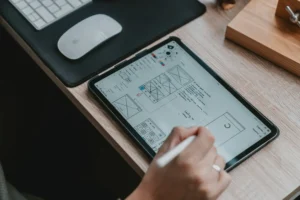
- Wireframes are low-fidelity representations of your interface that focus on layout and structure rather than visuals.
- Prototypes simulate interactions and let you test usability early. Learning tools like Figma or Adobe XD can help you create both.
5. Usability and Accessibility
- Understanding usability ensures that users can achieve goals without frustration.
- Accessibility awareness helps design for all users, including those with disabilities, and ensures compliance with standards like WCAG.
6. Collaboration and Communication
- UX design rarely happens in isolation. Effective collaboration with developers, product managers, and stakeholders is crucial.
- Clear communication—through user flows, personas, or prototypes—ensures your ideas are understood and implemented correctly.
Recommended Learning Path for Beginners
Getting started in UX design involves structured learning combined with hands-on practice. Here is a suggested roadmap:
- Learn the basics of UX principles and processes. Start with foundational concepts such as usability, user research, and interaction design.
- Take online courses or certifications. Platforms like Coursera, LinkedIn Learning, and specialized UX academies offer beginner-friendly programs.
- Practice by redesigning existing products. Pick a website or app, analyse its UX, and create your own wireframes and prototypes to propose improvements.
- Build a portfolio. Document your process, not just the final design. Recruiters and hiring managers value thoughtful problem-solving more than polished visuals at the beginning.
- Join communities. Participate in UX forums, Slack groups, or meetups to learn from others, get feedback, and stay updated on trends.
Building a Strong UX Portfolio
A portfolio is essential for anyone starting in UX design. It demonstrates your thinking, problem-solving, and design execution.
Key tips:
- Focus on projects that show your process. Include research, wireframes, prototypes, and usability testing results.
- Highlight real problems you solved and explain the rationale behind design decisions.
- Keep the portfolio concise but diverse. Include web, mobile, or conceptual projects to show versatility.
- Make it accessible and navigable, as your portfolio itself is a demonstration of your UX skills.
Entry-Level UX Roles to Consider
Beginners in UX design often start in roles that allow them to learn while contributing:
- UX Designer Intern. Gain hands-on experience while working under experienced designers.
- Junior UX Designer. Focus on smaller design tasks such as wireframing, user flows, and usability testing.
- UX Researcher. Concentrate on gathering user insights and analysing behaviour.
- UI/UX Designer. Some companies combine UI and UX responsibilities, giving exposure to both visual and experiential design.
Remember, entry-level roles are stepping stones. The goal is to develop practical skills and a portfolio.
Practical Tips to Get Started Quickly
- Start small. Redesign an app screen, create a simple wireframe, or conduct a usability review.
- Document your process. Take notes on research insights, design iterations, and user feedback.
- Seek feedback. Join UX communities or share your work with peers to improve iteratively.
- Stay curious. Follow UX blogs, watch case studies, and read about real-world projects.
- Learn design tools. Master at least one design tool such as Figma, Sketch, or Adobe XD, which are industry standards.
By combining learning, practice, and feedback, you accelerate your path from beginner to confident UX designer.
Common Challenges for Beginners
Starting in UX can be challenging. Some common obstacles include:
- Overthinking visual design. Beginners often focus too much on aesthetics instead of usability and process.
- Fear of creating imperfect work. Remember, UX is iterative; early prototypes are meant to be tested and refined.
- Balancing learning and practice. Don’t spend all your time learning—apply concepts to projects regularly.
- Building a portfolio without professional experience. Personal projects, volunteer work, or redesign exercises can fill gaps early on.
Overcoming these challenges requires persistence and a focus on user-centred thinking.
The Future of UX for Beginners
UX design is evolving rapidly with new technologies and expectations:
- AI-assisted UX tools are helping beginners create prototypes faster.
- Voice, AR, and VR interfaces are expanding design opportunities beyond screens.
- Ethical and inclusive design is becoming increasingly important, making accessibility and diversity integral to UX practice.
By starting with strong fundamentals and embracing ongoing learning, beginners can stay relevant and competitive in the field.
Final Thoughts
Getting started in UX design requires a combination of learning, practice, and curiosity. Begin by understanding core principles, practicing hands-on projects, and building a portfolio that reflects your problem-solving skills. Remember that UX is iterative—your skills and confidence will grow with experience, feedback, and continuous exploration.
The path may seem challenging, but UX design is a field where empathy, creativity, and analytical thinking combine to make a tangible difference in people’s lives. Starting today puts you on the path to a rewarding career shaping meaningful digital experiences.